

AZ-500 Certification Exam Dumps Questions in here [Jan-2022]
Updated AZ-500 Exam Practice Test Questions
Exam Aspects
The first thing that you need to know about the Microsoft AZ-500 exam is that it costs $165. The test is going to be 150 minutes long, and during this time, the applicants will have to attempt more than 40 multiple-choice questions. Although this seems like a long time, you will still need to manage it wisely if you wish to answer all the questions. Without the right test-taking skills, you may have a difficult time passing the exam.
What skills outline should the learners explore?
The Microsoft AZ-500 exam covers four major topics, which are as follows:
Managing identity and access
- Managing Azure Active Directory identities: this requires one’s competency in customizing security for service principals; managing Azure AD directory groups; managing Azure AD users; customizing password writeback; customizing authentication tools, such as Pass Through Authentication (PTA) and password hash, OAuth, and passwordless; transferring Azure subscriptions between Azure AD tenants.
- Configuring secure access with the help of Azure AD: the examinees need to demonstrate their ability to verify privileged access to Azure AD Privileged Identity Management; customize Access Reviews; initiate and customize PIM; execute Conditional Access policies such as Multi-Factor Authentication (MFA); customize Azure AD identity protection.
- Managing application access: this includes creating App Registration; customizing App Registration permission scopes; managing API access to Azure subscriptions and resources; managing App Registration permission consent.
- Managing access control: the test takers should be able to customize resource and subscription permissions; configure custom RBAC roles; customize resource group permissions; define the appropriate role; implement least privilege principle; interpret permissions; verify access.
NEW QUESTION 50
What is the membership of Group1 and Group2? To answer, select the appropriate options in the answer area.
NOTE: Each correct selection is worth one point.
Answer:
Explanation:
Explanation
Box 1: User1, User2, User3, User4
Contains "ON" is true for Montreal (User1), MONTREAL (User2), London (User 3), and Ontario (User4) as string and regex operations are not case sensitive.
Box 2: Only User3
Match "*on" is only true for London (User3).
Scenario:
Contoso.com contains the users shown in the following table.
Contoso.com contains the security groups shown in the following table.
References:
https://docs.microsoft.com/en-us/azure/active-directory/users-groups-roles/groups-dynamic-membership
NEW QUESTION 51
You have Azure Resource Manager templates that you use to deploy Azure virtual machines. You need to disable unused Windows features automatically as instances of the virtual machines are provisioned.
What should you use?
- A. Azure Logic Apps
- B. security policies in Azure Security Center
- C. device configuration policies in Microsoft Intune
- D. an Azure Desired State Configuration (DSC) virtual machine extension
Answer: D
Explanation:
Explanation
You can use Azure Automation State Configuration to manage Azure VMs (both Classic and Resource Manager), on-premises VMs, Linux machines, AWS VMs, and on-premises physical machines.
Note: Azure Automation State Configuration provides a DSC pull server similar to the Windows Feature DSC-Service so that target nodes automatically receive configurations, conform to the desired state, and report back on their compliance. The built-in pull server in Azure Automation eliminates the need to set up and maintain your own pull server. Azure Automation can target virtual or physical Windows or Linux machines, in the cloud or on-premises.
Reference:
https://docs.microsoft.com/en-us/azure/automation/automation-dsc-getting-started
NEW QUESTION 52
You have an Azure Active Directory (Azure AD) tenant that contains the users shown in the following table.
From Azure AD Privileged Identity Management (PIM), you configure the settings for the Security Administrator role as shown in the following exhibit.
From PIM, you assign the Security Administrator role to the following groups:
* Group1: Active assignment type, permanently assigned
* Group2: Eligible assignment type, permanently eligible
For each of the following statements, select Yes if the statement is true. Otherwise, select No.
NOTE: Each correct selection is worth one point.
Answer:
Explanation:
Explanation
Box 1: Yes
Eligible Type: A role assignment that requires a user to perform one or more actions to use the role. If a user has been made eligible for a role, that means they can activate the role when they need to perform privileged tasks. There's no difference in the access given to someone with a permanent versus an eligible role assignment. The only difference is that some people don't need that access all the time.
You can choose from two assignment duration options for each assignment type (eligible and active) when you configure settings for a role. These options become the default maximum duration when a user is assigned to the role in Privileged Identity Management.
Use the Activation maximum duration slider to set the maximum time, in hours, that a role stays active before it expires. This value can be from one to 24 hours.
Box 2: Yes
Active Type: A role assignment that doesn't require a user to perform any action to use the role. Users assigned as active have the privileges assigned to the role Box 3: Yes User3 is member of Group2.
Reference:
https://docs.microsoft.com/en-us/azure/active-directory/privileged-identity-management/pim-configure
https://docs.microsoft.com/bs-cyrl-ba/azure/active-directory/privileged-identity-management/pim-resource-roles
NEW QUESTION 53
You have an Azure Active Directory (Azure AD) tenant.
You have the deleted objects shown in the following table.
On May 4, 2020, you attempt to restore the deleted objects by using the Azure Active Directory admin center.
Which two objects can you restore? Each correct answer presents a complete solution.
NOTE: Each correct selection is worth one point.
- A. User2
- B. Group2
- C. Group1
- D. User1
Answer: A,B
Explanation:
Deleted users and deleted Office 365 groups are available for restore for 30 days.
You cannot restore a deleted security group.
Reference:
https://docs.microsoft.com/en-us/azure/active-directory/users-groups-roles/groups-restore-deleted
NEW QUESTION 54
You have three on-premises servers named Server1, Server2, and Server3 that run Windows. Server1 and Server2 and located on the Internal network. Server3 is located on the premises network. All servers have access to Azure.
From Azure Sentinel, you install a Windows firewall data connector.
You need to collect Microsoft Defender Firewall data from the servers for Azure Sentinel.
What should you do?
- A. Create an event subscription from Server1, Server2 and Server3
- B. Install the Microsoft Agent on each server.
- C. Install the Microsoft Agent on Server1 and Server2 install the on-premises data gateway on Server3.
- D. Install the On-premises data gateway on each server.
Answer: B
Explanation:
Explanation/Reference:
https://docs.microsoft.com/en-us/azure/sentinel/connect-windows-firewall
NEW QUESTION 55
Note: This question is part of a series of questions that present the same scenario. Each question in the series contains a unique solution that might meet the stated goals. Some question sets might have more than one correct solution, while others might not have a correct solution.
After you answer a question in this section, you will NOT be able to return to it. As a result, these questions will not appear in the review screen.
You have a hybrid configuration of Azure Active Directory (Azure AD).
You have an Azure HDInsight cluster on a virtual network.
You plan to allow users to authenticate to the cluster by using their on-premises Active Directory credentials.
You need to configure the environment to support the planned authentication.
Solution: You deploy an Azure AD Application Proxy.
Does this meet the goal?
- A. No
- B. Yes
Answer: A
Explanation:
Instead, you connect HDInsight to your on-premises network by using Azure Virtual Networks and a VPN gateway.
Note: To allow HDInsight and resources in the joined network to communicate by name, you must perform the following actions:
* Create Azure Virtual Network.
* Create a custom DNS server in the Azure Virtual Network.
https://www.fast2test.com/AZ-500-practice-test.html 17
Valid Fast2test AZ-500 Exam PDF Dumps - New AZ-500 Real Exam Questions
* Configure the virtual network to use the custom DNS server instead of the default Azure Recursive Resolver.
* Configure forwarding between the custom DNS server and your on-premises DNS server.
Reference:
https://docs.microsoft.com/en-us/azure/hdinsight/connect-on-premises-network
NEW QUESTION 56
Use the following login credentials as needed:
To enter your username, place your cursor in the Sign in box and click on the username below.
To enter your password, place your cursor in the Enter password box and click on the password below.
Azure Username: [email protected]
Azure Password: Ag1Bh9!#Bd
The following information is for technical support purposes only:
Lab Instance: 10598168
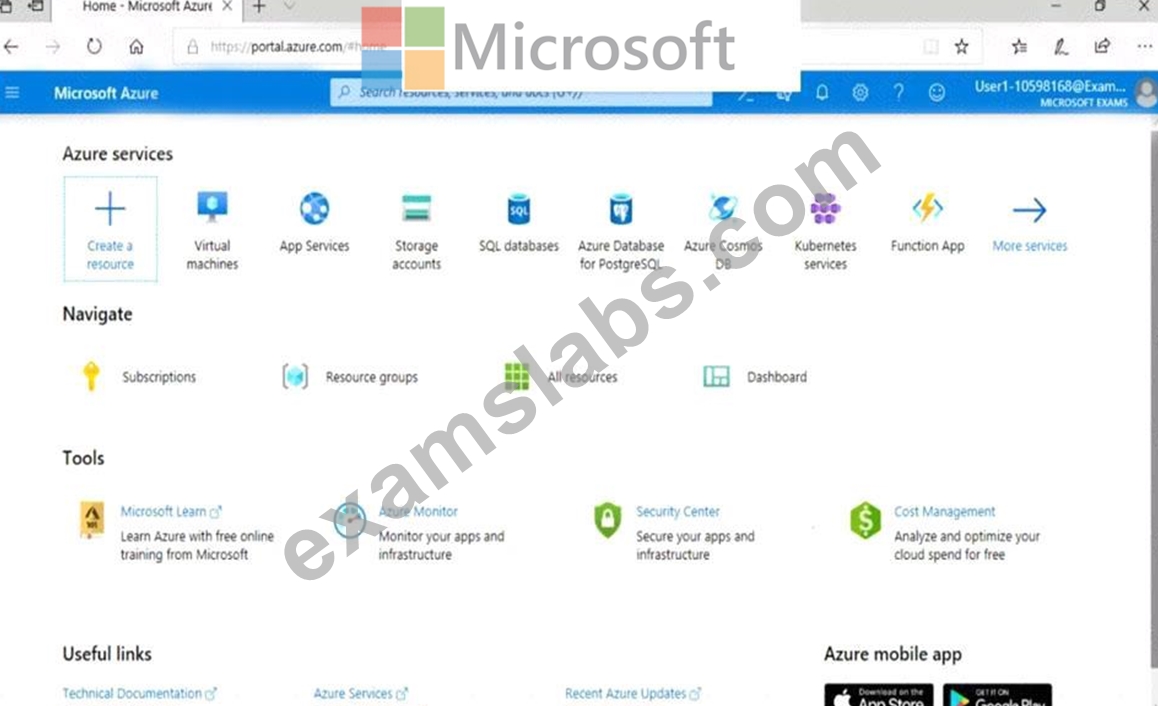


You need to collect all the audit failure data from the security log of a virtual machine named VM1 to an Azure Storage account.
To complete this task, sign in to the Azure portal.
This task might take several minutes to complete You can perform other tasks while the task completes.
Answer:
Explanation:
See the explanation below.
Explanation
Step 1: Create a workspace
Azure Monitor can collect data directly from your Azure virtual machines into a Log Analytics workspace for detailed analysis and correlation.
1. In the Azure portal, select All services. In the list of resources, type Log Analytics. As you begin typing, the list filters based on your input. Select Log Analytics workspaces.
2. Select Create, and then select choices for the following items:
3. After providing the required information on the Log Analytics workspace pane, select OK.
While the information is verified and the workspace is created, you can track its progress under Notifications from the menu.
Step 2: Enable the Log Analytics VM Extension
Installing the Log Analytics VM extension for Windows and Linux allows Azure Monitor to collect data from your Azure VMs.
1. In the Azure portal, select All services found in the upper left-hand corner. In the list of resources, type Log Analytics. As you begin typing, the list filters based on your input. Select Log Analytics workspaces.
2. In your list of Log Analytics workspaces, select DefaultWorkspace (the name you created in step 1).
3. On the left-hand menu, under Workspace Data Sources, select Virtual machines.
4. In the list of Virtual machines, select a virtual machine you want to install the agent on. Notice that the Log Analytics connection status for the VM indicates that it is Not connected.
5. In the details for your virtual machine, select Connect. The agent is automatically installed and configured for your Log Analytics workspace. This process takes a few minutes, during which time the Status shows Connecting.
After you install and connect the agent, the Log Analytics connection status will be updated with This workspace.
Reference: https://docs.microsoft.com/en-us/azure/azure-monitor/learn/quick-collect-azurevm
NEW QUESTION 57
You have an Azure subscription that contains an Azure Sentinel workspace.
Azure Sentinel is configured to ingest logs from several Azure workloads. A third-party service management platform is used to manage incidents.
You need to identify which Azure Sentinel components to configure to meet the following requirements:
When Azure Sentinel identifies a threat, an incident must be created.
A ticket must be logged in the service management platform when an incident is created in Azure Sentinel.
Which component should you identify for each requirement? To answer, select the appropriate options in the answer area.
NOTE: Each correct selection is worth one point.
Answer:
Explanation:
Reference:
https://docs.microsoft.com/en-us/azure/sentinel/create-incidents-from-alerts
https://docs.microsoft.com/en-us/azure/sentinel/tutorial-respond-threats-playbook
NEW QUESTION 58
Your company uses Azure DevOps.
You need to recommend a method to validate whether the code meets the company's quality standards and code review standards.
What should you recommend implementing in Azure DevOps?
- A. branch folders
- B. branch permissions
- C. branch locking
- D. branch policies
Answer: D
Explanation:
Section: [none]
Explanation:
Branch policies help teams protect their important branches of development. Policies enforce your team's code quality and change management standards.
References:
https://docs.microsoft.com/en-us/azure/devops/repos/git/branch-policies?view=azure- devops&viewFallbackFrom=vsts
NEW QUESTION 59
You need to ensure that User2 can implement PIM.
What should you do first?
- A. Configure authentication methods for contoso.com.
- B. Assign User2 the Global administrator role.
- C. Enable multi-factor authentication (MFA) for User2.
- D. Configure the identity secure score for contoso.com.
Answer: C
Explanation:
To start using PIM in your directory, you must first enable PIM.
1. Sign in to the Azure portal as a Global Administrator of your directory.
You must be a Global Administrator with an organizational account (for example, @yourdomain.com), not a Microsoft account (for example, @outlook.com), to enable PIM for a directory.
Scenario: Technical requirements include: Enable Azure AD Privileged Identity Management (PIM) for contoso.com References:
https://docs.microsoft.com/bs-latn-ba/azure/active-directory/privileged-identity-management/pim-getting-started
Topic 1, Contoso
Technical Requirements
Contoso identifies the following technical requirements:
Deploy Azure Firewall to VNetWork1 in Sub2.
Register an application named App2 in contoso.com.
Whenever possible, use the principle of least privilege.
Enable Azure AD Privileged Identity Management (PIM) for contoso.com
Existing Environment
Azure AD
Contoso.com contains the users shown in the following table.
Contoso.com contains the security groups shown in the following table.
Sub1
Sub1 contains six resource groups named RG1, RG2, RG3, RG4, RG5, and RG6.
User2 creates the virtual networks shown in the following table.
Sub1 contains the locks shown in the following table.
Sub1 contains the Azure policies shown in the following table.
Sub2
Sub2 contains the virtual machines shown in the following table.
All virtual machines have the public IP addresses and the Web Server (IIS) role installed. The firewalls for each virtual machine allow ping requests and web requests.
Sub2 contains the network security groups (NSGs) shown in the following table.
NSG1 has the inbound security rules shown in the following table.
NSG2 has the inbound security rules shown in the following table.
NSG3 has the inbound security rules shown in the following table.
NSG4 has the inbound security rules shown in the following table.
NSG1, NSG2, NSG3, and NSG4 have the outbound security rules shown in the following table.
Contoso identifies the following technical requirements:
Deploy Azure Firewall to VNetwork1 in Sub2.
Register an application named App2 in contoso.com.
Whenever possible, use the principle of least privilege.
Enable Azure AD Privileged Identity Management (PIM) for contoso.com.
NEW QUESTION 60
You have an Azure subscription named Sub1 that contains the Azure key vaults shown in the following table:
In Sub1, you create a virtual machine that has the following configurations:
* Name: VM1
* Size: DS2v2
* Resource group: RG1
* Region: West Europe
* Operating system: Windows Server 2016
You plan to enable Azure Disk Encryption on VM1.
In which key vaults can you store the encryption key for VM1?
- A. Vault1 or Vault2 only
- B. Vault1 or Vault3 only
- C. Vault1, Vault2, Vault3, or Vault4
- D. Vault1 only
Answer: B
Explanation:
Explanation
In order to make sure the encryption secrets don't cross regional boundaries, Azure Disk Encryption needs the Key Vault and the VMs to be co-located in the same region. Create and use a Key Vault that is in the same region as the VM to be encrypted.
Reference:
https://docs.microsoft.com/en-us/azure/security/azure-security-disk-encryption-prerequisites
NEW QUESTION 61
You have an Azure environment.
You need to identify any Azure configurations and workloads that are non-compliant with ISO 27001 standards.
What should you use?
- A. Azure Sentinel
- B. Azure Active Directory (Azure AD) Identity Protection
- C. Azure Advanced Threat Protection (ATP)
- D. Azure Security Center
Answer: D
Explanation:
Explanation/Reference:
https://docs.microsoft.com/en-us/azure/security-center/security-center-compliance-dashboard
NEW QUESTION 62
You have an Azure subscription that contains three storage accounts, an Azure SQL managed instance named SQL and three Azure SQL databases. The storage accounts are configured as shown in the following table.
SQ11 has the following settings:
* Auditing: On
* Audit tog destination: storage1
The Azure SQL databases are configured as shown in the following table.
Answer:
Explanation:
NEW QUESTION 63
You create an alert rule that has the following settings:
* Resource: RG1
* Condition: All Administrative operations
* Actions: Action groups configured for this alert rule: ActionGroup1
* Alert rule name: Alert1
You create an action rule that has the following settings:
* Scope: VM1
* Filter criteria: Resource Type = "Virtual Machines"
* Define on this scope: Suppression
* Suppression config: From now (always)
* Name: ActionRule1
For each of the following statements, select Yes if the statement is true. Otherwise, select No.
Note: Each correct selection is worth one point.
Answer:
Explanation:
Explanation
Box 1:
The scope for the action rule is set to VM1 and is set to suppress alerts indefinitely.
Box 2:
The scope for the action rule is not set to VM2.
Box 3:
Adding a tag is not an administrative operation.
References:
https://docs.microsoft.com/en-us/azure/azure-monitor/platform/alerts-activity-log
https://docs.microsoft.com/en-us/azure/azure-monitor/platform/alerts-action-rules
NEW QUESTION 64
You have a network security group (NSG) bound to an Azure subnet.
You run Get-AzureRmNetworkSecurityRuleConfig and receive the output shown in the following exhibit.
Use the drop-down menus to select the answer choice that completes each statement based on the information presented in the graphic.
NOTE: Each correct selection is worth one point.
Answer:
Explanation:
Reference:
https://docs.microsoft.com/en-us/azure/virtual-network/manage-network-security-group
NEW QUESTION 65
......
Verified AZ-500 dumps Q&As 100% Pass in First Attempt Guaranteed Updated Dump: https://drive.google.com/open?id=1ggZ_tLIxsjccPlb6to1O7pYPPsbzMvBD
Pass Microsoft Azure Security Engineer Associate AZ-500 Exam With 295 Questions: https://www.examslabs.com/Microsoft/Microsoft-Azure-Security-Engineer-Associate/best-AZ-500-exam-dumps.html